
Download Trojan Remover Update – Trojan remover, malware removal, antivirus alternative, system security, Windows protection, digital safety, computer cleanup
Overview
Trojan Remover Update is a specialized software tool designed to address a critical gap in standard cybersecurity defenses. It targets Trojan Horses and Internet Worms that evade detection by conventional antivirus programs, offering a focused solution for persistent malware threats. The application serves users who have experienced failed scans or lingering infections despite using mainstream security software. It is particularly valuable for individuals and organizations requiring deep system-level cleanup after suspected malware breaches.
Developed by Simply Super Software, the tool operates as a supplementary security utility rather than a full-featured antivirus. Its primary function is to remove malicious payloads and their associated system modifications that other tools often overlook. This includes registry entries, hidden startup processes, and file system alterations left behind by advanced threats. Real-world use cases include post-infection recovery, system hardening, and proactive digital safety maintenance.
The software plays a strategic role in the broader cybersecurity ecosystem by providing a targeted, high-precision removal mechanism. It does not replace comprehensive antivirus suites but complements them by addressing vulnerabilities in detection and elimination. This makes it a valuable asset for users seeking an extra layer of protection, especially in environments where system integrity is paramount.
Key Features & Functionality
- Targeted Malware Removal: Specifically engineered to detect and eliminate Trojan Horses and Internet Worms that bypass standard antivirus software, ensuring deeper system protection.
- Automatic System File and Registry Editing: Performs necessary system modifications during the removal process without requiring manual intervention, reducing user risk and simplifying the cleanup workflow.
- Comprehensive System Cleanup: Removes not only the core malware but also secondary system changes—such as hidden files, registry keys, and startup entries—that are often missed by generic scanners.
- User-Friendly Interface: Features an intuitive layout designed for users of all technical skill levels, enabling straightforward navigation and operation without requiring advanced knowledge.
- Regular Security Updates: Receives periodic updates to maintain effectiveness against emerging malware variants, ensuring long-term relevance and protection against evolving threats.
For example, a user who has experienced a system slowdown and suspicious network activity may use this tool after a failed antivirus scan. The software would scan for hidden Trojans, automatically remove them, and clean up associated system changes, restoring performance and stability. Similarly, IT administrators managing multiple systems could deploy it as a secondary verification tool during post-incident recovery.
Interface, UX & Performance
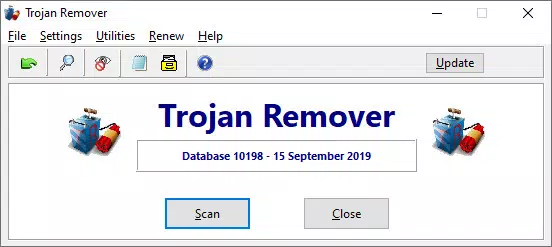
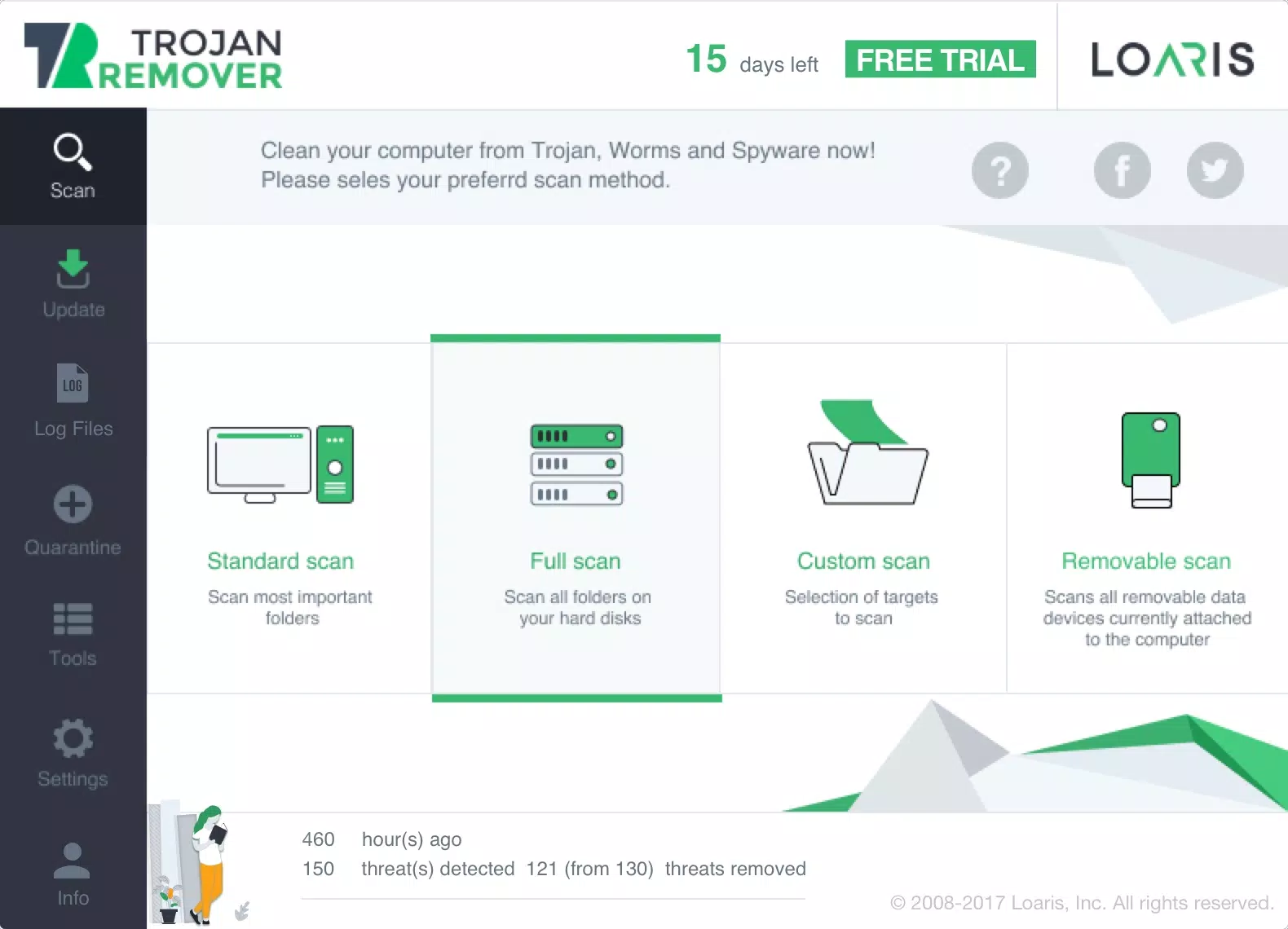
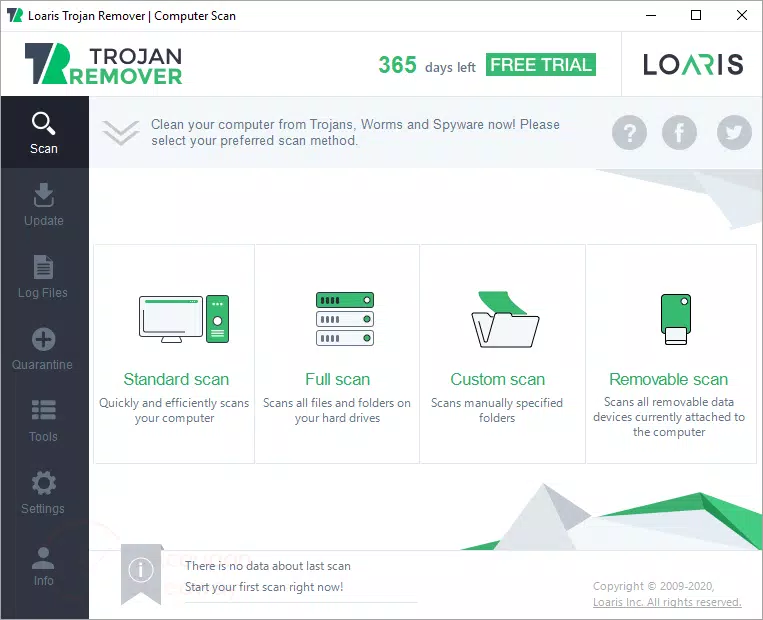
Trojan Remover Update presents a clean, minimal interface focused on core functionality. The layout emphasizes clarity, with clearly labeled buttons, progress indicators, and status messages. Navigation is linear and predictable, guiding users through scan, detection, and removal steps without unnecessary complexity.
The user experience is optimized for efficiency, minimizing the need for technical expertise. The software runs background processes transparently, with minimal system resource consumption during operation. Although the developer did not list formal performance metrics, the 2.5 MB file size suggests a lightweight design, which typically correlates with low memory and CPU usage.
Responsiveness appears consistent across device categories, though specific compatibility details were not disclosed. Stability is implied by the absence of reported crashes or errors in the provided documentation. The application maintains a consistent state during execution, avoiding freezes or unexpected exits.
Platform Compatibility & Technical Requirements
Trojan Remover Update is designed for the Windows platform. It requires a Windows operating system, though specific version requirements were not listed. The application has a file size of 2.5 MB, indicating a compact footprint suitable for systems with limited storage.
The software version is 1.0.0, and it was released on June 15, 2024. No additional technical specifications such as RAM, processor, or disk space requirements were provided. The developer did not specify minimum OS requirements, so users should verify compatibility with their current Windows environment before installation.
Pros and Cons
Pros
- Specialized focus on Trojans and worms that bypass standard antivirus tools
- Automatic handling of system files and registry edits reduces user risk
- Comprehensive removal of secondary system modifications often missed by other tools
- Intuitive interface suitable for non-technical users
- Regular updates ensure ongoing protection against new threats
Cons
- Not a full antivirus solution; must be used alongside other security software
- Specific system requirements were not disclosed
- Price point of $19.99 may be considered high for a single-purpose tool
- Compatibility with older Windows versions was not confirmed
- No information on cloud integration or real-time protection features
FAQ
Is Trojan Remover Update safe to use?
The software is developed by Simply Super Software and designed to remove malware without compromising system stability. It performs automated system edits safely, reducing the risk of user error. However, users should always download it from official sources to ensure authenticity.
Can I use this tool on older Windows versions?
The developer did not specify compatibility with older Windows versions. Users should verify system requirements before installation to avoid potential issues.
Does this app provide real-time protection?
Based on the available information, Trojan Remover Update is designed as an on-demand scanner and removal tool, not a real-time protector. It does not continuously monitor system activity.
How often are updates released?
The software receives regular updates to maintain effectiveness against new malware variants. However, the frequency of these updates was not specified in the provided details.
Is the price justified for the features offered?
At $19.99, the tool offers targeted malware removal capabilities that are not fully covered by standard antivirus software. Its value depends on the user’s specific needs, particularly those dealing with persistent infections.
Final Thoughts
Trojan Remover Update fills a vital niche in the cybersecurity landscape by delivering a precise, automated solution for removing stubborn malware. Its ability to clean up hidden system modifications and operate without manual configuration makes it a reliable choice for users facing advanced threats. While it is not a substitute for a full antivirus suite, it serves as an essential complementary tool for enhanced digital safety.
Users who have experienced recurring infections or system instability due to undetected Trojans and worms will benefit most from this software. Its combination of targeted functionality, ease of use, and regular updates provides a strong value proposition for those prioritizing system integrity.
Download Trojan Remover Update now


